 f8caa6c841
* docker: prometheus and grafana for development

Add prometheus and grafana docker configuration when developing with access to the enterprise repository. This simplifies the setup for developers adding new metrics or even examining events from their development server. The services are disabled by default when no enterprise source is detected.

Grafana is provisioned automatically with the Prometheus datasource, as well as the canonical dashboards used with Mattermost. Furthermore, no authentication is required to access Grafana to simplify access from a development environment. The default home dashboard is customized to automatically show links to the provisioned dashboards. Dashboards can be saved, and login remains available via the default `admin/admin` credentials (which initiates a password reset), but no dashboard or system configuration is (currently) persisted if the container is destroyed.

Linux requires slightly special handling (well, really it's Docker for MacOS/Windows), in that `host.docker.internal` is the canonical way to resolve the host on MacOS/Windows, but on Linux it's usually sufficient to just use `localhost`. Until https://github.com/docker/for-linux/issues/264 is resolved, this PR includes code to customize the Prometheus configuration to point at the required address for the running platform.

* metrics: track active jobs by type

* metrics: active jobs chart

* metrics: server start and job annotations

* Update build/docker-compose.common.yml

Co-authored-by: Claudio Costa <cstcld91@gmail.com>

* prometheus: resolve docker host via 172.17.0.1 instead

* skip enabling prometheus and grafana by default

* handle JOB_STATUS_ERROR and JOB_STATUS_CANCELED end states

* handle nil srv.metrics

* lookup job to determine type for metrics

* mocked unit tests for jobs

* goimports lint fixes

* missing license

* add instance to server start tag

* filter annotations by selected instance

Co-authored-by: Claudio Costa <cstcld91@gmail.com>
Co-authored-by: Mattermod <mattermod@users.noreply.github.com>

Mattermost is an open source, private cloud, Slack-alternative from https://mattermost.com.
It's written in Golang and React and runs as a single Linux binary with MySQL or PostgreSQL. Every month on the 16th a new compiled version is released under an MIT license.
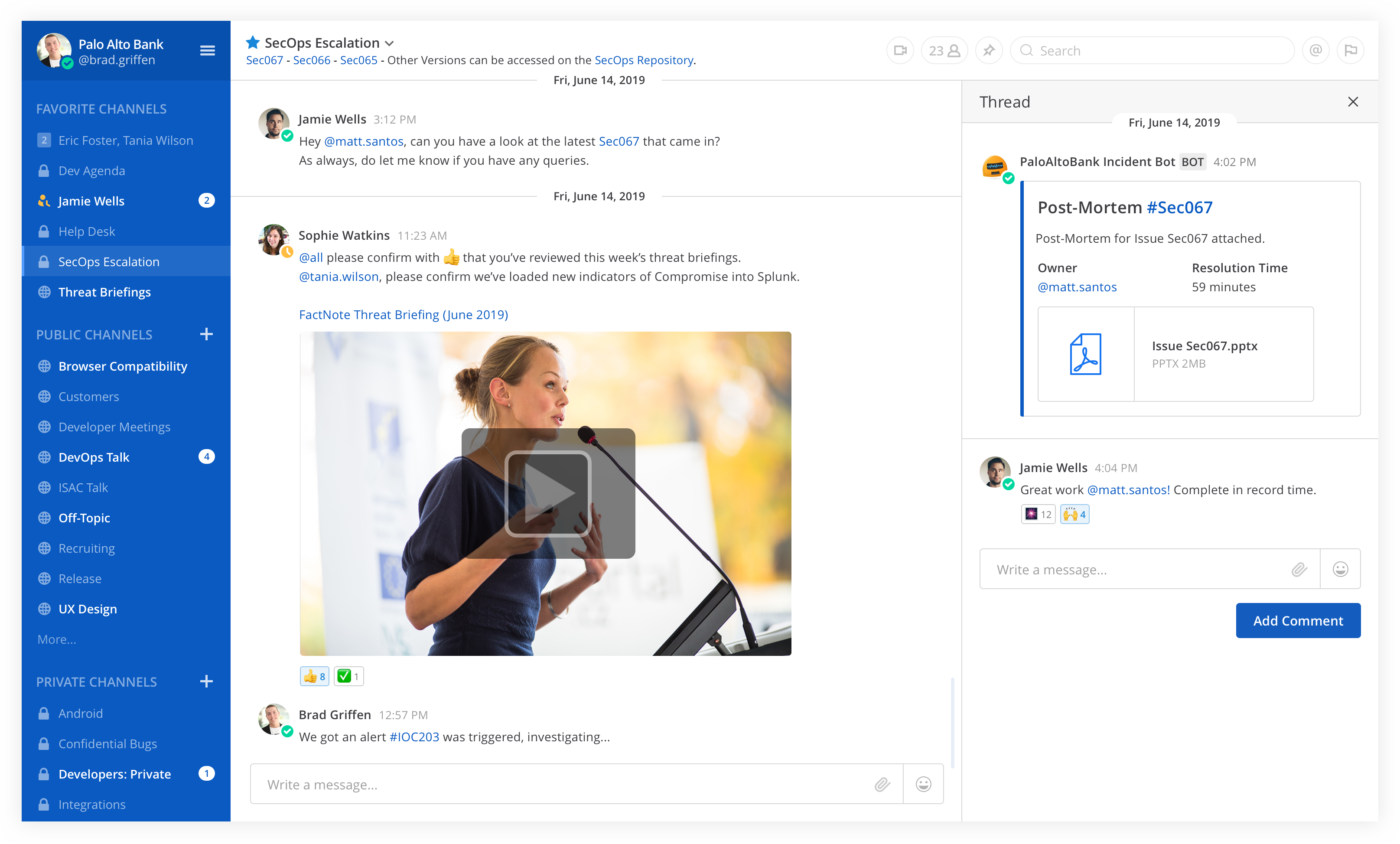
Table of Contents
- Try out Mattermost
- Deploy on Heroku
- Deploy on a Cloud Platform via Bitnami
- Install on Your Own Machine
- Native Mobile and Desktop Apps
- Get Security Bulletins
- Get Involved
- Learn More
- Get the Latest News
- Contributing
Try out Mattermost
- Join the Mattermost Contributor's server to join community discussions about contributions, development and more
- Join the Mattermost Demo server to try out Mattermost and explore sample use cases
Deploy on Heroku

Note: Heroku preview does not include email or persistent storage
Deploy on a Cloud Platform via Bitnami
Auto-deploy Mattermost to Amazon Web Services, Azure, Google Cloud Platform, or Oracle Cloud Platform via Bitnami.
Install on Your Own Machine
- One-line Docker Preview
- Developer Machine Setup
- Production Install Guides using Linux Binary
- Production Docker Install
Native Mobile and Desktop Apps
In addition to the web interface, you can also download Mattermost clients for Android, iOS, Windows PC, Mac OSX, and Linux.


Get Security Bulletins
Receive notifications of critical security updates. The sophistication of online attackers is perpetually increasing. If you are deploying Mattermost it is highly recommended you subscribe to the Mattermost Security Bulletin mailing list for updates on critical security releases.
Get Involved
- Contribute Code
- Find "Help Wanted" projects
- Join Developer Discussion on a Mattermost Server for contributors
- File Bugs
- Share Feature Ideas
- Get Troubleshooting Help
- Help translate Mattermost
Learn More
- API Options - webhooks, slash commands, drivers and web service
- See who's using Mattermost
- Browse over 700 Mattermost integrations
License
See the LICENSE file for license rights and limitations.
Get the Latest News
- Twitter - Follow Mattermost.
- Blog - Get the latest updates from the Mattermost blog.
- Facebook - Follow Mattermost.
- LinkedIn - Follow Mattermost.
- Email - Subscribe to our newsletter (1 or 2 per month).
- Mattermost - Join the ~contributors channel on the Mattermost Community Server.
- IRC - Join the #matterbridge channel on Freenode (thanks to matterircd).
Contributing
Please see CONTRIBUTING.md.
Any other questions, mail us at info@mattermost.com. We’d love to meet you!